Is Applyy a job board?
Applyy includes job discovery, but it is broader than a job board. It connects search results to fit review, tailored materials, application tracking, and supported form completion.
Job search tool and app
Search, prepare, apply, and track without rebuilding the same context in five different tools.
Most job search apps solve one fragment of the process. Applyy connects discovery, evaluation, tailoring, tracking, and browser-assisted application work so information does not have to be rebuilt for every role.
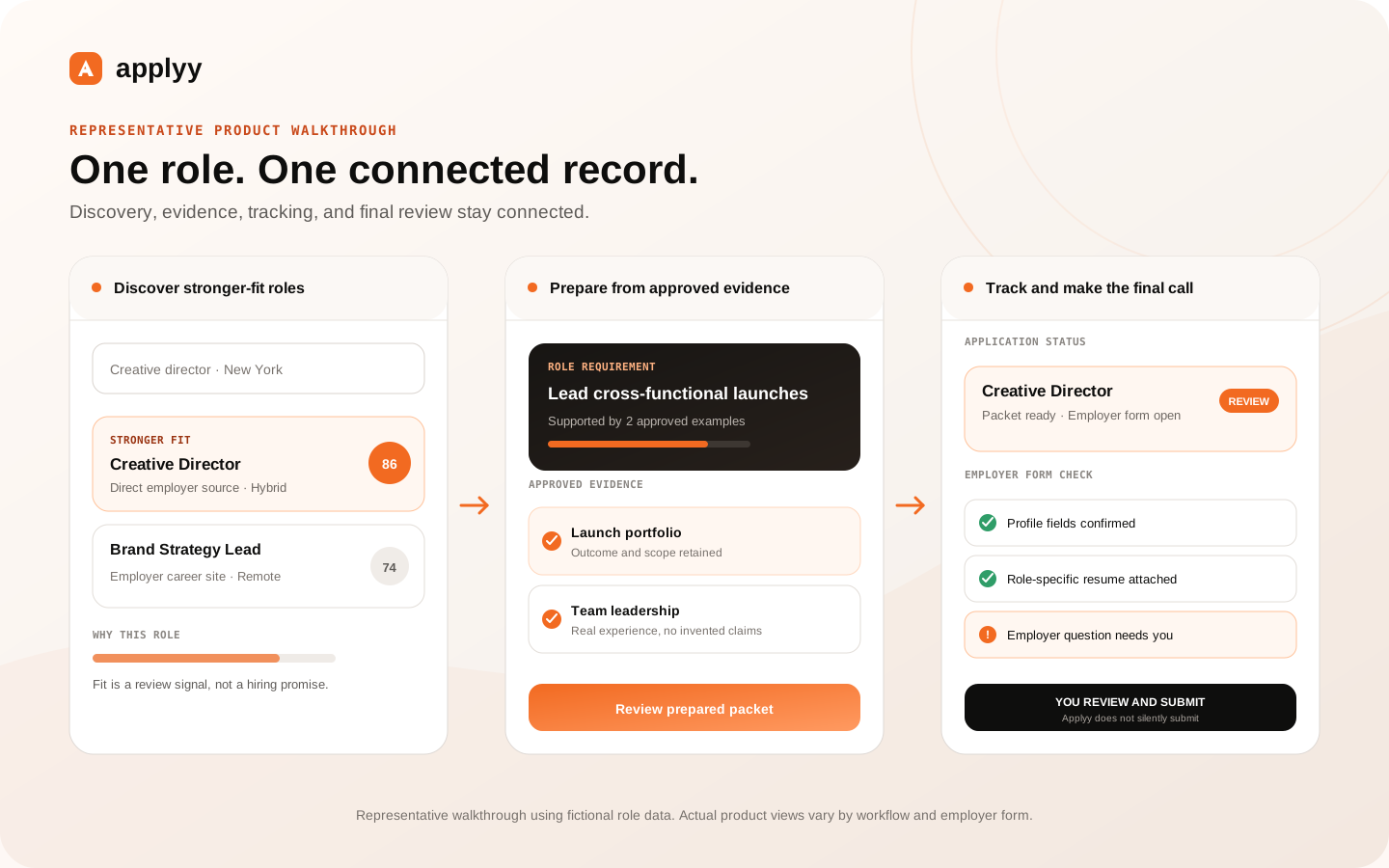
Applyy indexes listings from direct employer career sites and supported hiring platforms. Search results retain source and application links so you can understand where a role came from and move to the employer's actual application surface when one is available.
The index is monitored for freshness and source coverage, but no job database can guarantee that every employer page is complete or current. Applyy exposes original listing paths and keeps checking source health instead of hiding that uncertainty.
A useful job search tool should help with the question after discovery: is this role worth the time? Applyy brings together requirements, candidate evidence, location and work-model constraints, company context, and the user's own judgment.
You can save, hide, revisit, or prepare a role without losing the listing context that shaped the decision.
Once a role is selected, Applyy can prepare role-specific materials from approved evidence and keep the resulting documents associated with that opportunity. The tracker records the application state and makes the next action visible.
This reduces the common gap between a spreadsheet, a resume folder, browser tabs, and an autofill tool that all contain different versions of the same application story.
Applyy is not designed to maximize the number of applications sent per day. It is designed to reduce wasted effort, make relevant evidence clearer, and keep repetitive work from consuming the entire search.
Candidates can still pursue reaches, exploratory roles, and unexpected opportunities. The distinction is that those choices remain intentional and visible.
Applyy includes job discovery, but it is broader than a job board. It connects search results to fit review, tailored materials, application tracking, and supported form completion.
Applyy's tracker is intended to replace much of the manual status and document organization handled in a spreadsheet, while retaining role and application context.
No service can guarantee complete coverage. Applyy indexes more than one million listings and continuously monitors direct sources and supported platforms, but availability changes as employers publish and remove roles.
Find and save a role on your phone, then pick it up in Tracker on your computer using the same Applyy account. Mobile is useful for discovery, quick decisions, and reviewing materials; supported employer-form autofill uses desktop Chrome. Read the step-by-step guide.
Add Applyy to your iPhone Home Screen for quicker access in an app-like window. Open Applyy in Safari to get started. Read the step-by-step guide.
Add an Applyy icon to your Android Home Screen so you can reopen the web workspace quickly. Open Applyy in Chrome, then install the web app or create a shortcut from Chrome’s menu. Read the step-by-step guide.