Does the extension submit applications automatically?
No. The extension fills supported fields and files, but the user reviews the employer form and clicks Submit.
Job search Chrome extension
Carry approved answers into supported forms, then review before anything leaves your browser.
The Applyy Chrome extension brings approved profile answers and role-specific documents to supported employer application forms. It reduces repetitive entry without turning the application into an invisible auto-submit process.
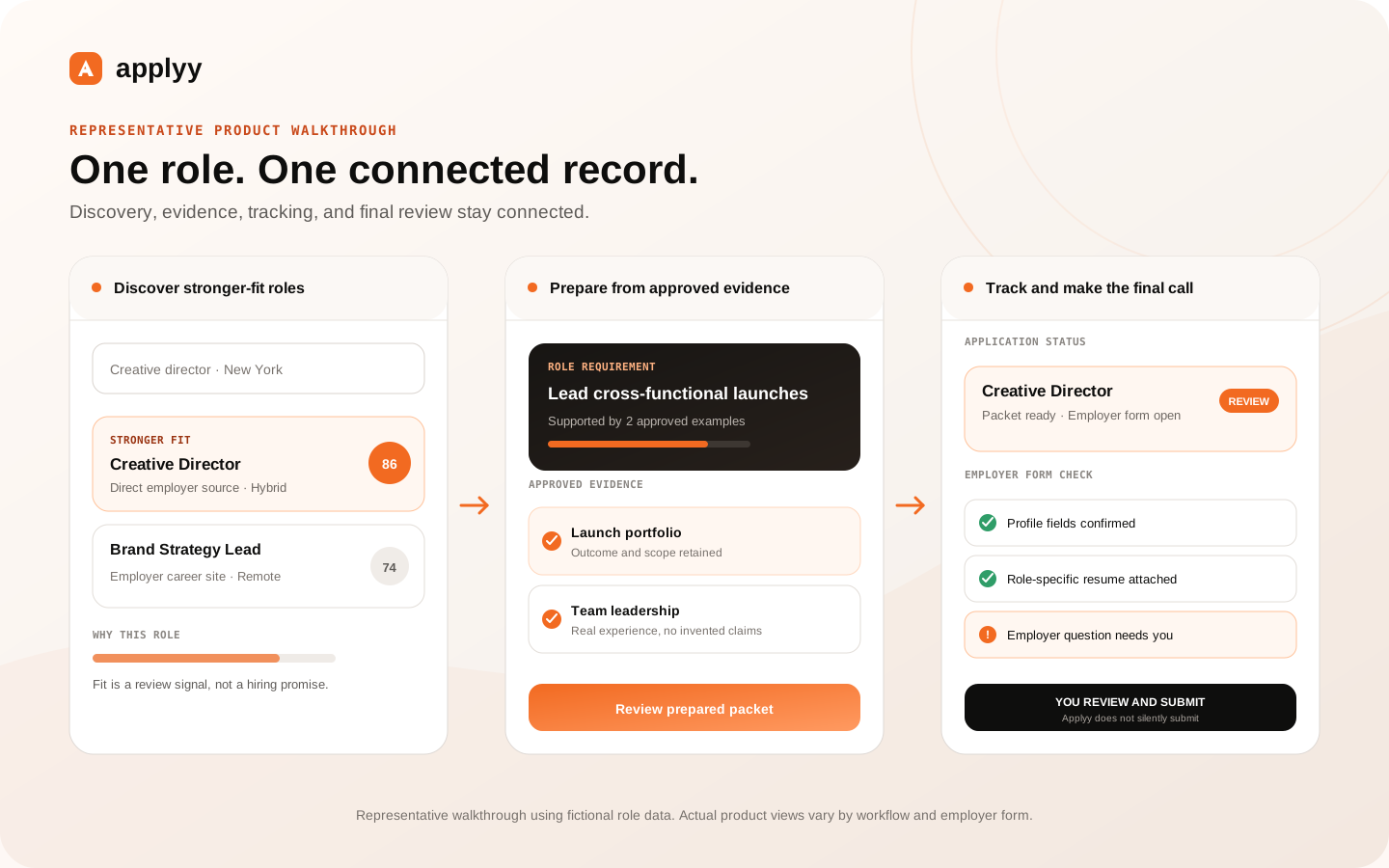
Repeated contact, work-history, education, authorization, and profile questions can consume time across applications. The extension maps supported fields to information already stored in Applyy and fills what it can identify confidently.
Employer forms vary. Unsupported, ambiguous, sensitive, or employer-specific questions remain visible for the user to answer rather than being guessed.
When a role-specific resume or cover letter has been prepared in Applyy, the extension can make those artifacts available during the corresponding application workflow. This reduces the risk of uploading an unrelated file from a downloads folder.
File uploads and field values remain reviewable on the employer's page before submission.
Applyy's current platform matrix covers 38 hiring systems and application surfaces, including major ATS families. Individual employers can customize those systems, introduce account walls, or change their markup without notice.
The extension therefore uses platform-specific handling, validation, and diagnostics. A supported platform means Applyy has an integration path—not that every form variant will fill perfectly forever.
Applyy intentionally stops before the final submission. The user reviews field values, files, disclosures, employer-specific questions, and any validation messages on the actual application form.
This keeps high-consequence answers and the final application decision with the candidate while still removing much of the mechanical work.
No. The extension fills supported fields and files, but the user reviews the employer form and clicks Submit.
Use desktop Chrome with the Applyy extension for supported autofill. You can use the web workspace on your phone to find and save jobs, track applications, and review materials, then continue on desktop when you want autofill. Read the step-by-step guide.
No. Employers customize forms and add unique questions. Applyy fills supported fields it can identify and leaves uncertain or unsupported items for review.
The extension relies on the user's Applyy profile and application context, so an Applyy account is required for the connected workflow.